I love Webflow. It is, without a doubt, the best visual development tool on the market. It gives me complete control over the frontend without wrestling with CSS syntax errors.
But I also love owning my infrastructure, and I really prefer writing in Notion.
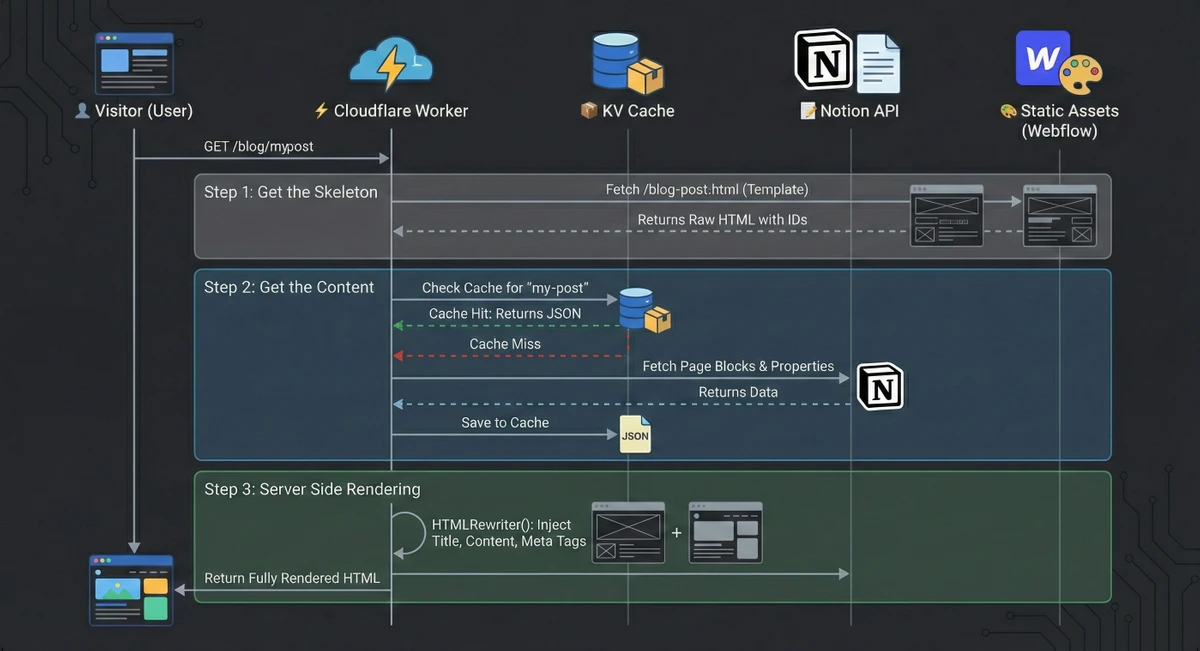
So, I built a hybrid system for sil.so. I design in Webflow, write in Notion, and stitch it all together using Cloudflare Workers. It gives me the best of all worlds: pixel-perfect design, a seamless writing experience, and incredibly fast, server-side rendered content.
Today, I’m sharing the code and the process so you can build this too.
This architecture sounds fancy, but the data flow is linear. We use Cloudflare to glue a Notion backend to a Webflow frontend.
Technical Architecture Diagram
Before we write code, let's get the accounts and templates set up.
📝 Get the Notion Template Here
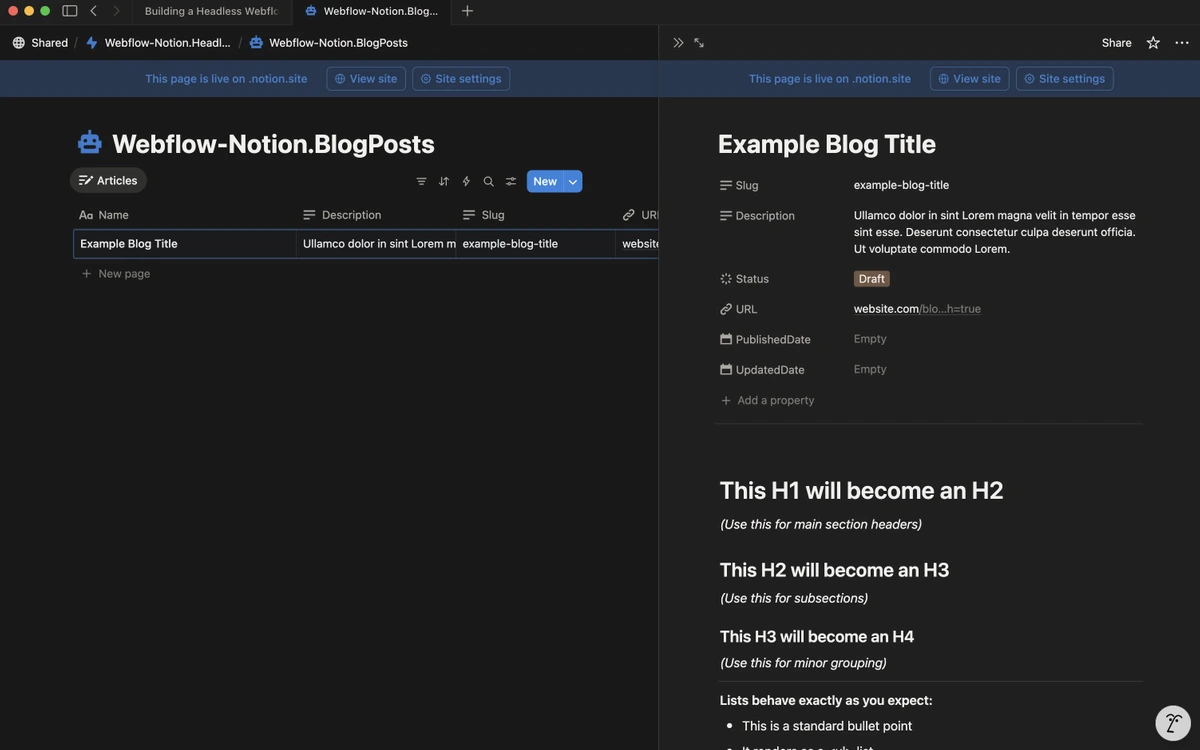
Webflow Notion Blog CMS Template (+ Database)
Once you have duplicated the database, you need to give the code permission to read it.